Have you ever wanted to create a query with information for a calendar
.. and then, abcra-cadabra, the calendar is done!
I am going to show you how to make that happen.
Hi, this is crystal.
This database has 2 sets of tables.
First is Companies that have Jobs to Deliver
or a Service to perform.
The Companies table relates to the Jobs table on CompID.
The Companies table also relates to the Addresses table on CompID.
Next are unrelated tables with contact information and appointments.
There are some sample queries you can test with,
and then dissect to see how they work.
The Macros make it easy to launch code.
mcr_CALENDAR-From-Query prompts for the name of a query you want to make a calendar for
The only requirement is that query
must have a field called 'CalDate'.
This field needs to be sorted in ascending order.
Only one month for the calendar report will be generated.
So whatever is the first date for the query
determines the month that the calendar will be for.
If dates are not sorted, entries will be missed.
The macro to Open the Calendar Folder launches code
to open the default folder for calendars that are generated.
This will be a directory called
\Calendar below the CurrentProject.Path
The module called mod_HtmlCalendarReport_s4p
contains all the code you need to bring this feature into
a database you create, or to add on to a database that you use.
Here are the field names that the calendar code is looking for.
CalDate
CalTitle
Text1
Text2
Text3
All you have to do is use these fieldnames in your query,
and sort by the calendar date,
to make the calendar work.
CalDate is the date of an activity
and is the only required piece of information
CalTitle, If specified, will be written above the month and year
for the calendar when it is displayed.
Text1, Text2, and Text3
specify what gets written onto each day.
These 3 pieces of information are also color-coded,
and alternating lines can have different colors too.
The qCalendar_Deliveries query shows 17 records
where deliveries need to be made for different dates.
While it is nice to have a list like this,
visualizing this data on a calendar
is even more useful.
Is it really that easy?
Can you really go from a query to a calendar that fast?
almost ...
First, copy the name of the query you want to see a calendar for.
Right-click on the query name and choose Rename
or press F2 to rename
Then just copy the query name
and press ESCape to not really change the name.
I am copying qCalendar_Deliveries
The reason I do this is just to make sure I don't type it in wrong,
and it is right there, so it is also quicker.
This query has what the calendar is looking for.
Then run the macro called
mcr_CALENDAR-From-Query
which runs code to ask for a query name
and create the HTML Calendar.
The code asks for the name of a query
I paste what I copied, qCalendar_Deliveries,
then the Create_HtmlCalendar code is launched,
and that query name is passed as a parameter.
The Create_HtmlCalendar function can have 2 parameters.
The name of a query, or an SQL statement, must be specified.
Optionally, the path and/or filename,
or part of filename, can be specified.
So what happens if you just give it a query name?
The filename is automatically assigned based on the calendar title,
the month and year for the calendar,
and then a time/date code for when the calendar was generated.
The extension will be HTM.
Where does the calendar go?
The folder, if not specified, will be a folder called \Calendar
under the CurrentProject.Path
This calendar shows the company code, quantity, and address
for deliveries on each day
In test_4_Create_HtmlCalendar,
SQL is constructed,
and then just a filename but no path
The calendar will be put into the default calendar directory.
To run a Sub, just click in it,
and press the F5 key.
MyReportname.html is the name of the file,
which was the only thing specified.
In test_2_Create_HtmlCalendar_SpecifyFile,
a query name and Jobs, which will be interepreted as part of a filename, is specified.
Since no file extension was specified,
the code adds meaningful information to the filename
such as the month and year for the calendar,
and yymmdd-hhnn for the date and time
that the calendar was generated.
It then adds an "htm" file extension.
The Jobs calendar shows company code, the quantity ordered, and the price.
It does not show WHAT was ordered.
You can decide whatever you want to show on calendar days
based on how you define the query
qCalendarText1Only
shows when appointments are scheduled
and is sorted by the date/time of the appointment
The c_Appointment table only has data in one month
so no criteria needs to be specified
Maybe you dont want 3 seperate colors on each row.
You can combine everything you want
to one of the text fields
qCalendar_Summary shows a lot of information only for Text1.
Another macro to make things easy for you is
the macro to open the calendar folder.
This calls the OpenCalendarFolder procedure
This code sets a variable called sPath
to the \Calendar directory below
the CurrentProject.Path
It then uses FollowHyperlink to open that folder
so you can see the files
that the Calendar program has created.
If you wish to dig in deeper,
you can experiment with the colors by modifying SetTheColors
which assigns values for the module-level array of strings for color
1 or 2 represents an odd or even row
1 to 3 is the color for each piece of information
If you wish to surround this process with a loop to make more files,
and possibly an index file too, you can do that.
What if your query has paramenters?
Not much testing was done so there might need to be some changes,
but here is what happens...
you are prompted to fill the parameters.
Run the parameter query to ask for a YYMM.
qParm_Calendar_Deliveries_Ask-YYMM
I enter 1708
This is 17 for 2017, and 08 for August.
This shows all the data for August, 2017.
The other parameter query prompts for a date
In this case, all days, starting with the specified date,
will be displayed on the calendar for that month.
As you can see, August has some deliveries before the 10th,
but they're not showing up on this calendar.
You can also see the criteria that was used in the header.
So, wrapping up, if you have a query
and you want a calendar
this is just about as easy as it gets
Just import the module into your database,
and use one of the examples
to create the calendar that you need.
Remember what to call the fields in your calendar query
and sort by the date
Thanks for joining me.
Please Subscribe, Like, Comment, and Share with your friends.
Through sharing, we will all get better.
 For more infomation >> Guadagno Names Rendo As Running Mate For 2017 - Duration: 1:06.

 For more infomation >> 2-Alarm Fire As Tires Burn At Drag Strip - Duration: 0:47.
  For more infomation >> Police Involved As Debate Over Eruvs Becomes Heated - Duration: 2:35.
  For more infomation >> Firefighters battle brush fire as 200 acres burn in Kunia - Duration: 2:27.
 For more infomation >> Vídeo sobre RCP somente com as mãos - Treinamento ao vivo - Duration: 2:07.


 For more infomation >> NTSB Study: Speed kills nearly as many people as drunk driving - Duration: 2:02.
  For more infomation >> Taylor police warn of man going door-to-door posing as Wayne County employee - Duration: 1:43.
 For more infomation >> The Text of July 27, 2017 (Prov. 27:17) - As iron sharpens iron, so one man [...] - Duration: 1:38.
 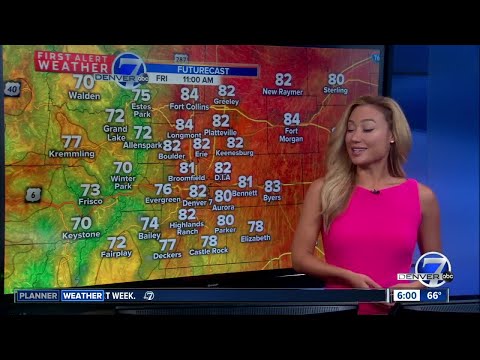 For more infomation >> Temps on the rise as weekend approaches, afternoon storms possible - Duration: 1:20.
 For more infomation >> Bem-Vindo Romeiro | Entenda como surgiu o JUMI e quais as novidades para este ano - 28 de julho - Duration: 4:30.

Không có nhận xét nào:
Đăng nhận xét